 paper2epub
Calibre vs paper2epub: the same research paper, converted by both
Calibre is the first thing most people try when they want to read a PDF paper on a Kindle or a Kobo. It’s free, it’s excellent at managing an e-book library, and it converts almost anything into EPUB. So I took real papers, converted them with Calibre and with paper2epub, and put the results side by side on the same six-inch screen.
The test: Calibre 9.16 with its default settings (ebook-convert paper.pdf paper.epub), and paper2epub on this website. Both EPUBs shown with the same font and size.
Equations
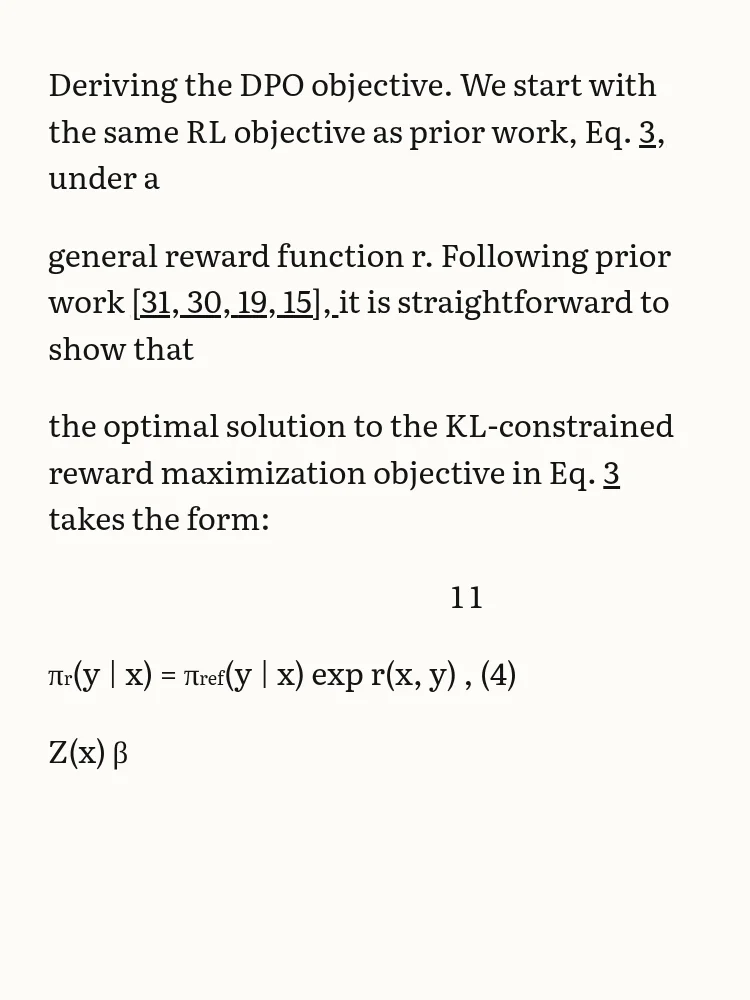
This is page 4 of Direct Preference Optimization, the passage that introduces its main equation.
Calibre
paper2epub
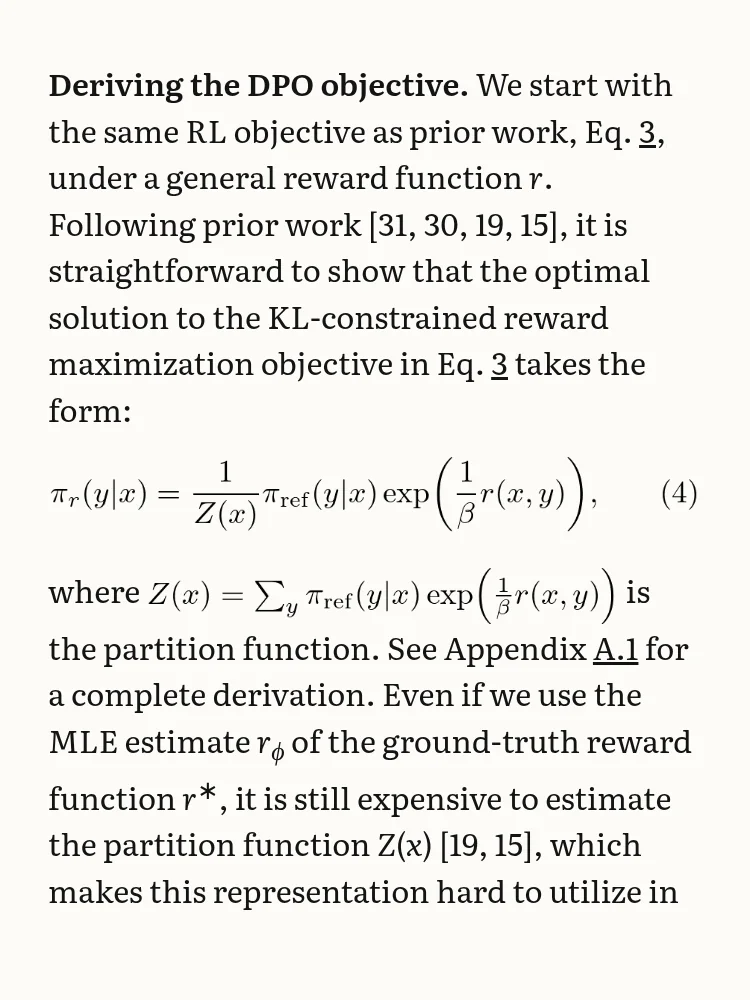
Calibre reads the PDF as lines of text, so a fraction comes apart: the two 1s of the numerators end up on a line of their own, Z(x) and β, the denominators, on another, and what’s left in the middle no longer says anything. paper2epub reads where each symbol sits on the page and writes the equation again in LaTeX, so it comes out as the fraction it is.
The other thing you can see on the left: every line of the PDF has become a paragraph. “under a”, “general reward function r…": on an e-reader that means a gap every few words.
Tables
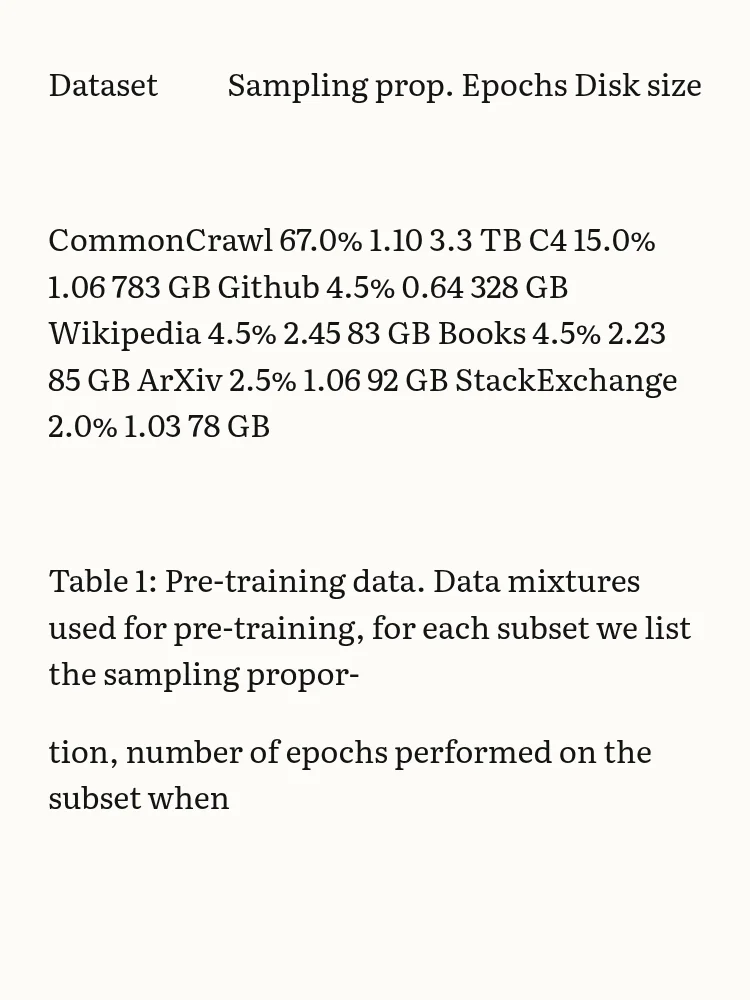
Table 1 of the LLaMA paper, a plain table of datasets.
Calibre
paper2epub
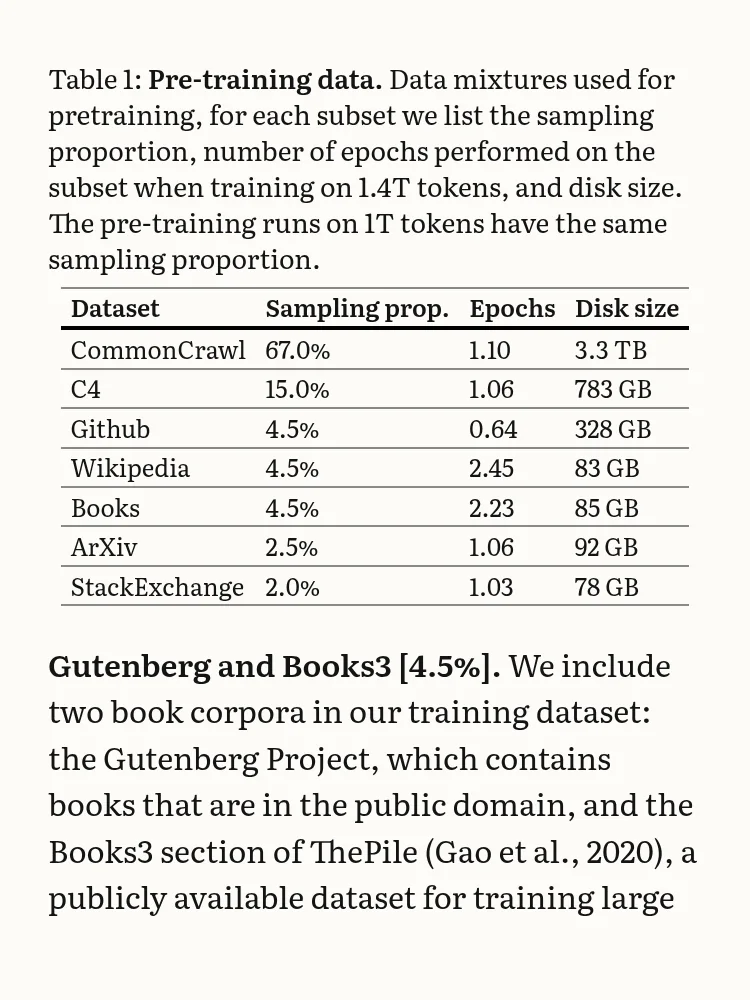
Calibre turns the whole table into a single paragraph: “CommonCrawl 67.0% 1.10 3.3 TB C4 15.0% 1.06 783 GB Github…”. The numbers are all there, but you can’t tell which goes with which. paper2epub rebuilds the table from where its text sits on the page: rows, columns, the header, and the caption above it.
Figures
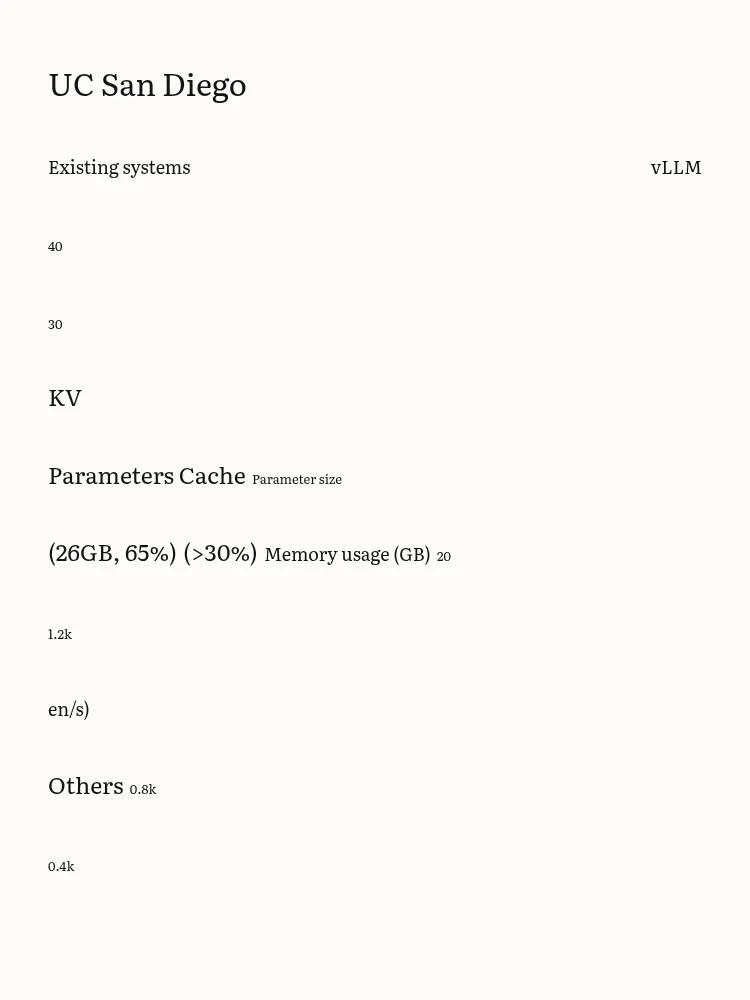
Figure 1 of vLLM is a vector drawing, as most plots in papers are.
Calibre
paper2epub
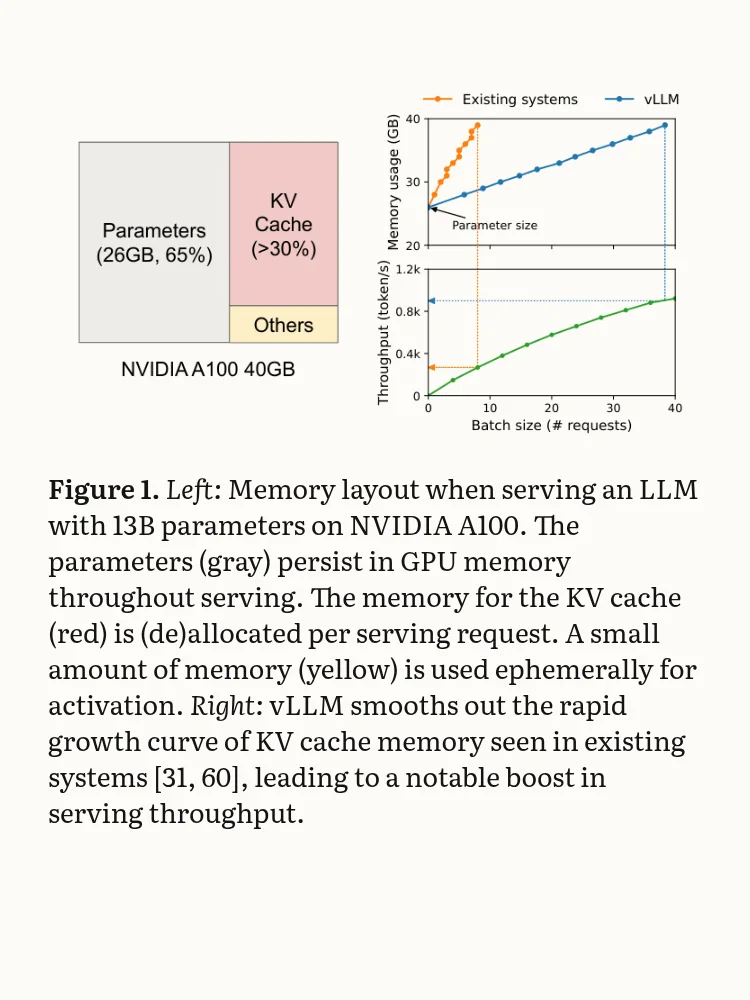
Calibre only keeps images that are pictures inside the PDF. A drawing made of lines and text is lost: what’s left is its labels, one per line ("KV”, “Others”, “0.8k"). In vLLM’s EPUB, the paper’s 19 figures became three black squares. paper2epub crops each figure from the page with its caption, so plots look as they do in the paper.
A harder table
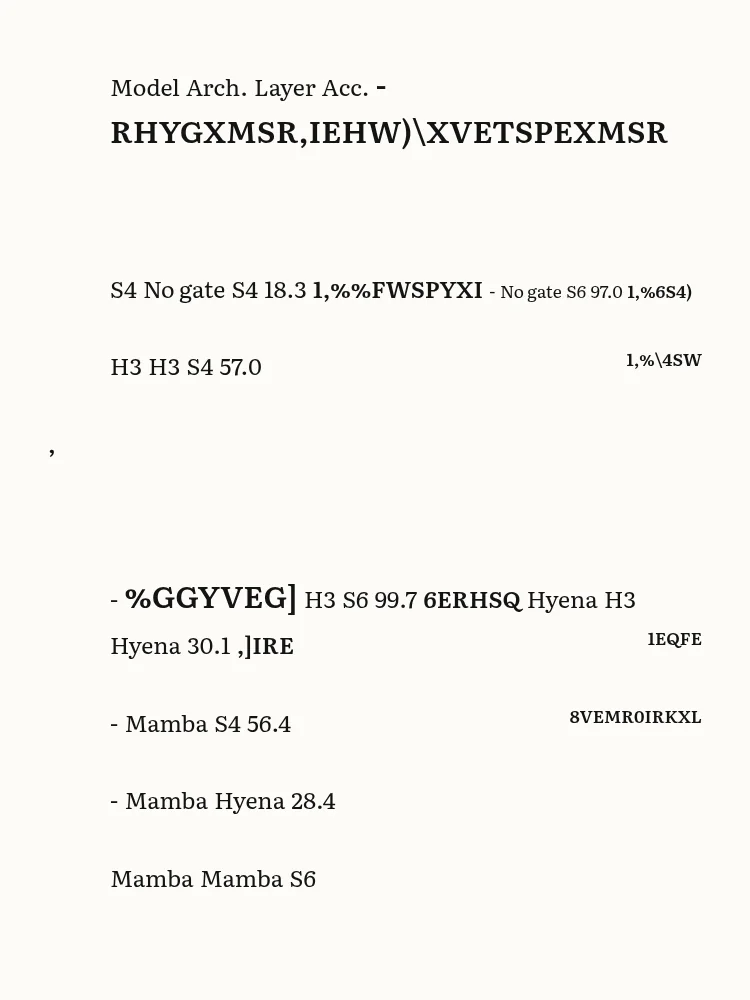
Table 1 of Mamba sits next to a plot, a common layout.
Calibre
paper2epub
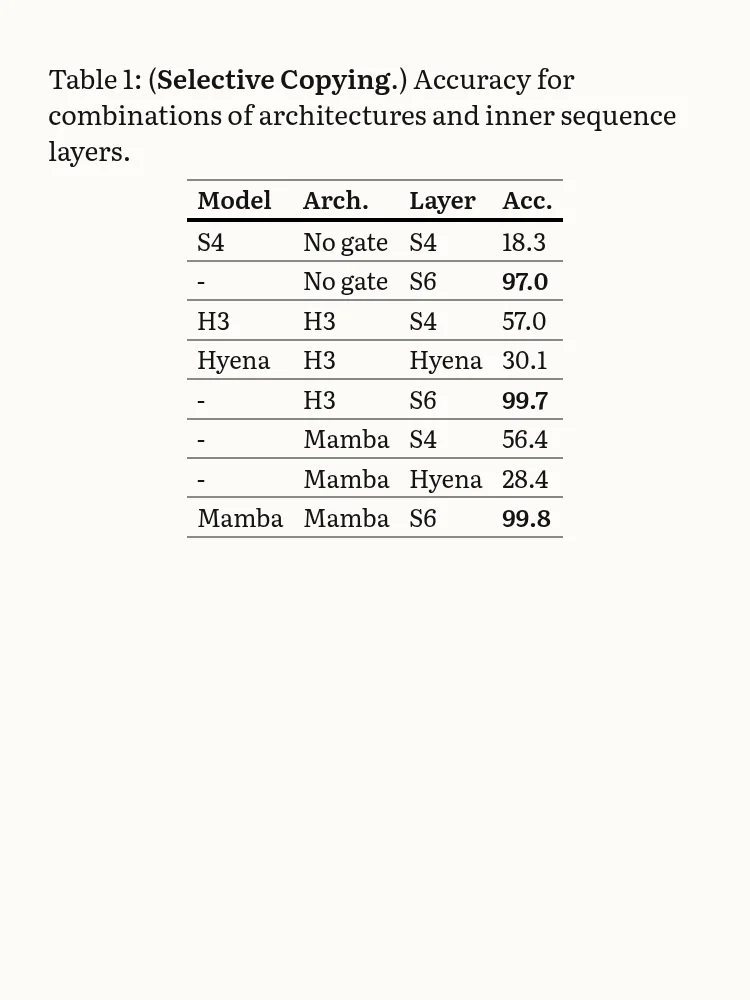
Calibre mixes the table with the plot’s labels, and those come out scrambled ("-RHYGXMSR,IEHW” is “Induction Heads”, with every letter shifted). The caption loses its bold words: “Table 1: ( .)”. paper2epub keeps the table and the plot apart.
Citations
Both tools keep the paper’s links, but they don’t lead to the same place. In Calibre’s EPUB, tapping [19] takes you to the page where the bibliography starts, and from there you look for the entry. In paper2epub’s, it takes you straight to entry 19. Footnotes open as pop-ups on Kindle and Kobo, instead of sending you to the end of the chapter.
Where Calibre is the better choice
To be fair to it, Calibre wasn’t made for papers. It’s a library manager first, and a very good one: it keeps your books organised, sends them to your e-reader over USB and converts between formats offline. For a novel or a report in a single column it does a fine job, and if you already use it, it’s also the easiest way to copy paper2epub’s EPUBs to your device.
For a scientific paper, the difference is in what the paper is made of: equations, tables and references. That’s what paper2epub is built for. If you want to see more examples, the home page shows six of them, or you can read a whole converted paper in the browser before trying your own.
For the other options (k2pdfopt, KOReader and arXiv’s HTML), see the ways to read a PDF paper on an e-reader.