 paper2epub
How to read research papers on a Kobo
Kobo e-readers are made for EPUB. It’s their own format, so getting a paper onto one is even simpler than on a Kindle: no e-mail, no Amazon account. The only snag is that papers come as PDFs.
What a Kobo does with a PDF
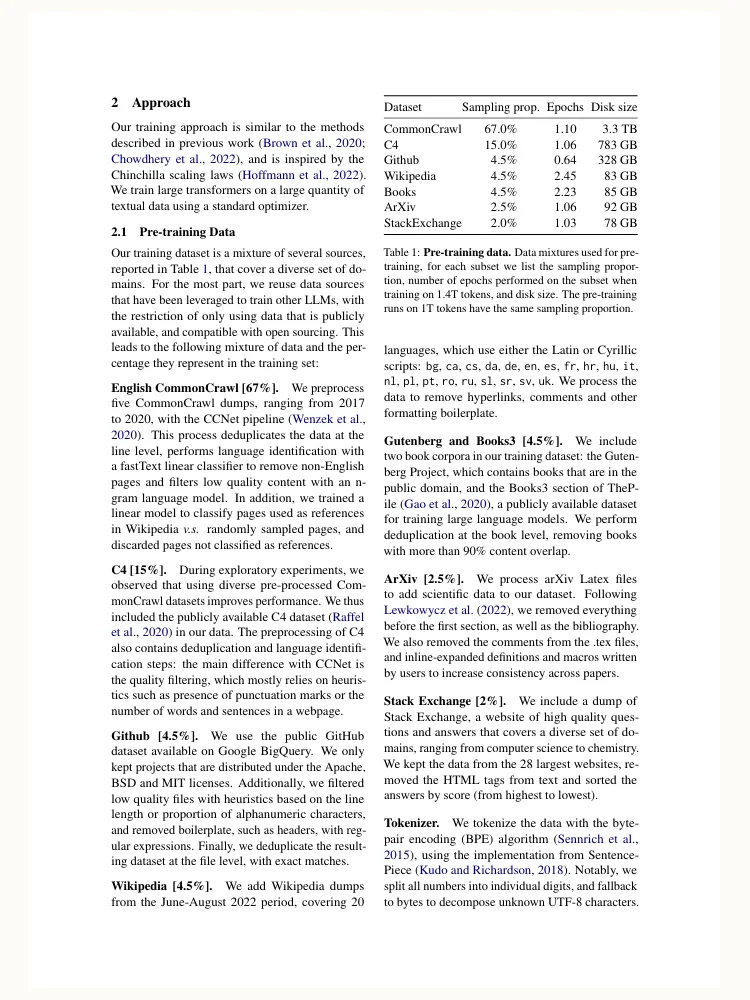
It opens it as a picture of each page. On a six- or seven-inch screen, that means a whole page of two-column type shrunk to fit. You can zoom in and pan around, but you can’t make the text bigger and have it flow to the next line.
The PDF
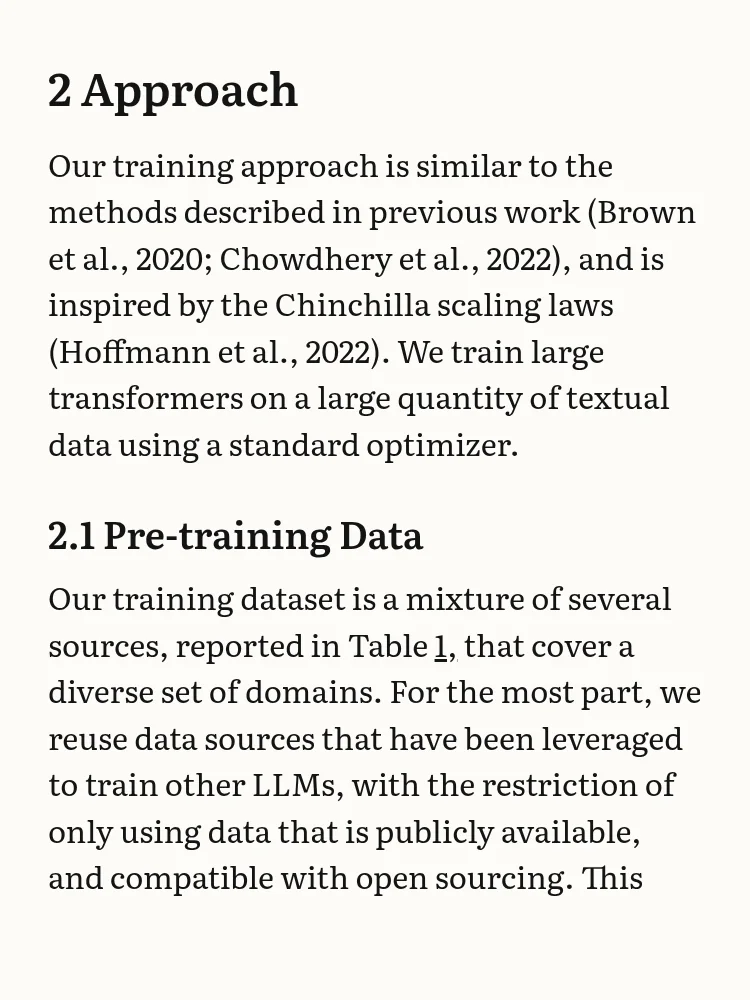
The EPUB
From PDF to EPUB
- Download the paper’s PDF, from arXiv, the journal or wherever you found it.
- Drop it on paper2epub. About a minute later you have an EPUB with the paper’s text, its equations typeset with LaTeX, and links for every citation and footnote.
- Download the EPUB.
Copying it to the Kobo
- Plug the Kobo into your computer with its USB cable and tap Connect on the e-reader.
- It shows up as a drive called KOBOeReader. Drag the EPUB onto it. Any folder will do: the Kobo finds books wherever they are.
- Eject the drive and unplug the cable. After a moment of importing, the paper is in My Books.
Some models can also pick up books from Dropbox or Google Drive, which saves the cable. Kobo’s help pages list which ones. On those, you link your account once and then drop the EPUB in the folder Kobo creates there.
Make it a kepub
Kobo reads plain EPUB without trouble, but its own variant, kepub, goes through a different engine on the device: page turns are quicker, and you get reading statistics such as the time left in the chapter. kepubify, a small free tool, turns one into the other in a second. Run it on the EPUB and copy the .kepub.epub file it makes instead.
If you keep your books in Calibre, it can send them to the Kobo too, and the Kobo Touch Extended plugin turns them into kepubs on the way.
Reading it
Everything works as it does with any book: font, size, margins and line spacing are yours to choose. Citations take you to the reference, footnotes open right where you are, and the table of contents has every section. Equations are typeset with LaTeX, so they look the way they do in the paper rather than like a blurry piece of the page.
Other e-readers
All of this works the same on PocketBook, Tolino, Boox and phones, because they all read EPUB. So does KOReader, the open-source reader that runs on Kobos, Kindles and Android. If you’re still deciding how to read papers on e-ink at all, I’ve written up how the different approaches compare.